Work & Productivity apps and guides
A task stranded between screens is still unfinished. I look at work apps for practical handoffs, from translation to account tasks, with cloud storage and project management needs in mind.
15 apps · 9 guides · top pick first
See the top pickTranslate, manage accounts and finish work tasks
 TranslateAndroidOur top pickTranslate signs, speech and typed phrases without juggling separate tools.
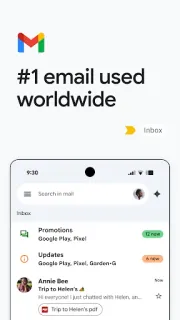
 GmailAndroidI check sync and the Outbox before trusting a follow-up on patchy signal.
 My Verizon For BusinessAndroidCheck devices, bills and order progress without returning to a desk.
 MyHyundai with BluelinkAndroidCheck vehicle access and service tasks from the same Hyundai app.
 ATOM StoreAndroidCheck balances, shape a FlexiPlan and browse STAR offers from one app.
 BlinkistAndroidA compact way to listen to or read key ideas when a full book won’t fit.
 Buddy.aiAndroidTurns ABCs, numbers and first words into a spoken game with Buddy.
 Docx ReaderAndroidOpen DOCX files, then highlight, underline or draw on PDFs in the same app.
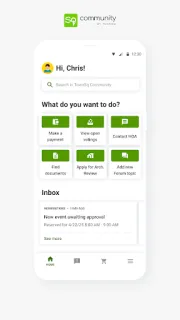
 TownSq CommunityAndroidA shared place for residents to follow community notices, maintenance and events.
 Deep TranslateAndroidA pocket translator for text, speech and signs, with ads and optional purchases.
 Focus Friend by Hank GreenAndroidA gentle timer with a Bean to keep company while you work.
 YouMailAndroidA spam-call filter with visual voicemail and optional paid screening.
 Vocal ImageAndroidBuild clearer speech with bite-sized practice for work and everyday conversations.
 CastChatAndroidMatch with gaming friends, then decide how much of the extras you want to use.
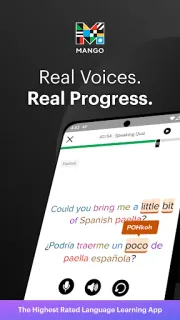
 Mango Languages LearningAndroidBuild conversation skills with recordings, pronunciation practice and daily reviews.
Work & Productivity guides
- Tips · TownSq CommunityTownSq Community: 6 Ways to Catch Building NoticesSix practical checks for seeing TownSq Community notices before a deadline passes.
- Compare · GmailGmail or Proton Mail: Who Can Read Your Messages?I weigh stronger message privacy against the convenience of keeping Gmail at the center of work.
- How-to · Mango Languages LearningMango Languages Learning: Start at the Right LessonUse Mango’s placement test and daily reviews to begin with lessons that fit your actual level.
- Tips · GmailGmail: 6 ways to catch the detail before you replyA useful card is only the start: my six checks for clearer Gmail replies and fewer missed details.
- Tips · Buddy.aiBuddy.ai speech practice: 6 fixes before a lesson stallsSix practical ways to make Buddy.ai voice lessons easier for young learners.
- Troubleshooting · GmailGmail alerts only when opened? Fix the delay in orderMail appears only after opening Gmail? I start with sync, then check what holds alerts back.
Other categories
How we pick Work & Productivity apps
I ask what I can finish from the phone without returning to a computer: understand a message, handle an account task or find a needed detail? Next, I look at the handoff: can I carry the result into the place where my work continues, rather than retyping it? Finally, I consider account boundaries. An app for a specific business service earns its place through useful access to that service, not by pretending to replace a whole office.
Work & Productivity FAQ
Do I need one work app or several focused tools?
I’d start with the task that keeps interrupting my day. A focused translation or account app can be a better fit than a broad workspace with features I will not use.
What should I check before using a business account app?
I check that it serves the account type I have and that I can sign in with the appropriate access. Personal and business services can use different apps.
How do I judge an app for use away from my desk?
I look for the exact task I need to complete on its phone screens, not just information I can view. Finding an account detail and acting on it are different needs.