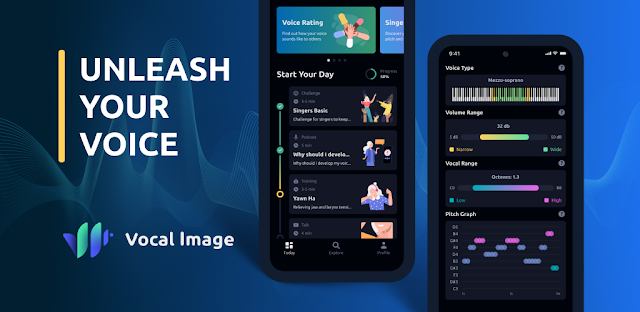
A meeting is about to start, and you want your point to land clearly rather than trail off. Vocal Image is aimed at that kind of preparation: its listing describes bite-sized sessions for interviews, presentations and daily conversations. I’d treat it as a practice companion, not a substitute for rehearsing the actual words you need to say. For a family member who wants to feel more comfortable speaking up, short exercises may also be easier to fit around a busy day than a long course.
The app focuses on communication skills: vocal clarity, articulation, tone, pacing, pronunciation and interpersonal expression. It also describes AI voice evaluation and targeted voice exercises, alongside guidance for public speaking and professional communication. That makes the appeal broader than accent practice alone. I can see a small team using it individually before presentations, then sharing what each person is working on; it is not described as a shared team workspace or project management tool. For business email, it offers no direct writing help—the focus is spoken communication.
The listing flags in-app purchases, so check the Google Play details and the purchase prompts in the app before relying on paid features. The latest update notes introduce an Energy Shop, where Energy can be topped up to unlock unlimited voting and keep a voice active in the Voice Arena rotation. That is relevant if you or a relative plan to use those features; it is separate from the core aim of practising speech. I’d also look at the app’s access requests and account steps as they appear during setup, and decide whether voice analysis fits your comfort level. Family members should use their own judgement about sharing voice recordings or personal information.
I’d consider installing Vocal Image if you want guided speaking practice, especially before an interview, presentation or tricky conversation, and are comfortable checking purchase prompts and voice-related permissions. It may suit a family member who prefers structured exercises, or colleagues practising their own delivery, but don’t expect shared coaching records or team collaboration from the description. Skip it if you want only a script-writing tool, or prefer to practise without voice analysis. Check the Google Play button just below to confirm the developer and review the purchase details before you install.

 How-toVocal Image