A family member is heading out while you are still across town, and the car needs to be unlocked or started first. MyHyundai with Bluelink can make that handoff simpler when the vehicle supports the relevant remote features and the account is set up. I would treat it as a handy extra for coordinating around one Hyundai, not as a replacement for checking that the right person has access.
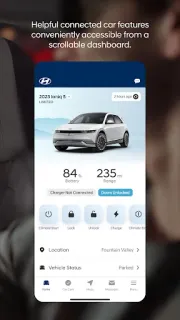
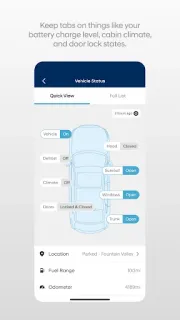
The app brings together owner resources, service scheduling and a connection to a Bluelink-enabled vehicle. Depending on the car and subscription, you can remotely lock or unlock doors, start the vehicle, or use saved start presets. Owners of supported EVs and plug-in hybrids can also view charging status and manage charging schedules and settings. That mix makes the app more about vehicle routines than general productivity tools such as invoicing or cloud storage.
The key distinction is between the MyHyundai account and paid Bluelink access: remote features require an active subscription, and select functions require the Remote or Guidance package. Feature support varies by vehicle, so check compatibility for the specific Hyundai before relying on a command. Sign-in uses a MyHyundai.com ID, password and PIN; biometric authentication can be used to send commands. For family sharing, agree on who can sign in and use remote controls, rather than passing around a password casually.
I’d consider installing it if you own a compatible Hyundai and want service tools or remote controls close at hand, especially when coordinating a car with family. It is a poor fit if you drive another make, expect every feature to work on every Hyundai, or do not want a subscription for remote functions. The latest update notes describe bug fixes and minor improvements. Check compatibility and access needs, then use the Google Play button just below to open the listing.