
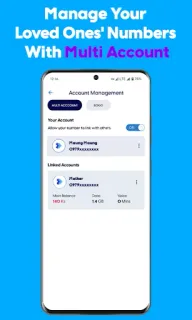
You’re about to top up, but first you need to check which bundle is running low and whether a family member needs a balance transfer. ATOM Store puts those routine account jobs in one place, so you can check balances, recharge and manage family accounts without hopping between separate services. For an ATOM subscriber, that combination is the app’s clearest reason to keep it within reach.
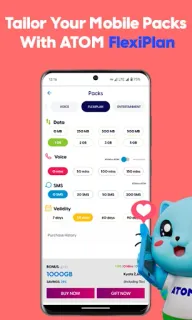
The app covers main and package balances, top-ups, bill payment, package purchases and balance transfers. FlexiPlan lets you choose a mix of data, voice, SMS and validity, and the listing also describes gifting plans to friends or family. Beyond mobile service, there are games and prize activities, movie watching, seasonal offers and STAR loyalty discounts from partner businesses. It is a broad account-and-entertainment hub, rather than just a balance checker.
A few day-one checks can keep the home screen useful: look for the balance and top-up shortcuts first, then decide whether game, movie and loyalty sections deserve space in your routine. Payment options include cards, Wave and other digital wallets, so confirm which option you intend to use before paying. The app is free to install, but top-ups, packages and other purchases can cost money. Its no-data-charge claim applies to using the app with ATOM mobile data; don’t assume it covers linked content or every network. You’ll need an ATOM account for account-specific tasks, and payment or account features may ask you to sign in or confirm details.
I’d install it if I use ATOM and regularly check balances, buy bundles, top up or manage lines for family. If I only need occasional service, or don’t want games, movies and promotions alongside account tools, I’d keep expectations modest and use only the relevant screens. Before relying on a payment shortcut, check that it supports the method I actually use. For the current developer and app details, use the Google Play button just below.
 TipsATOM Store