A device needs attention between appointments, and you want to check its account details before you get back to the office. This is where My Verizon For Business earns its place: it brings business account tasks to a phone, so you can review a bill, follow an order or manage equipment while away from your desk. I work from the car as a real estate agent, so having those account chores close at hand is more useful than another screen full of broad business advice.
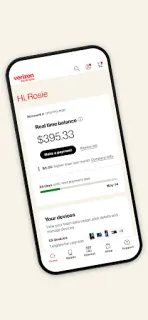
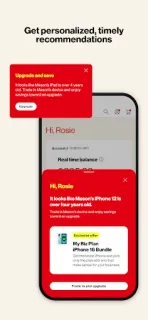
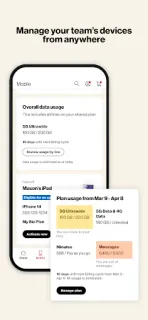
The app is for small and midsize businesses that use Verizon services. Its listed tools cover managing devices and equipment, reviewing and paying bills, tracking orders, setting up notifications and seeing personalized recommendations. It also provides access to One Talk features and lets you upgrade devices or accessories. The practical draw is that these tasks sit together under a business account rather than being scattered across separate errands; for teams with several devices, that can make an account check easier to fit into a working day.
The main catch is account fit: this is a companion for Verizon business customers, not a general-purpose device manager. You will need access to the relevant business account, and the tasks available will depend on the services and equipment attached to it. Paying a bill or changing equipment may involve costs outside the app, so review the details before confirming a transaction. Notifications are optional in practice but useful if you want order or account updates to reach your phone. The app is free to install; that does not make business services or new equipment free.
Install it if you already manage a Verizon business account from your phone and regularly need to check equipment, bills or order progress while away from a computer. Skip it if you are not a Verizon business customer, or if you only need a personal account app; its business tools will add little in that case. It is not a replacement for broader tools such as CRM or cloud storage, but it can handle the account-side jobs those products are not built for. If that matches your routine, use the Google Play button just below to check the listing before installing.