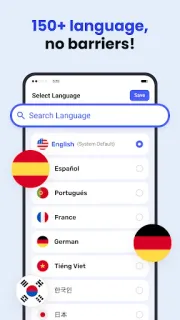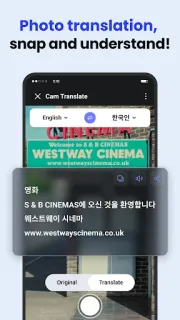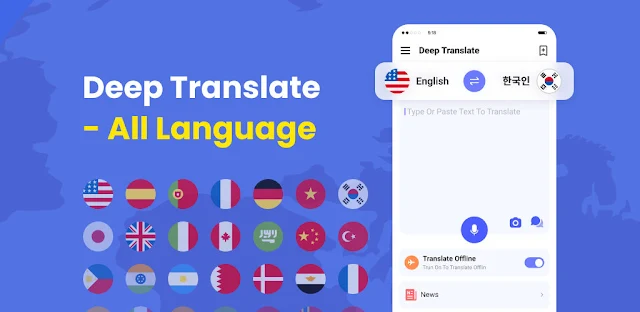
A café menu can turn a simple stop into a guessing game when you cannot read the dishes. Deep Translate gives you a way to translate text or use photo translation to recognize words in an image and show their translation. That can also help with signs, books and documents when typing every line would be slow. For someone moving between appointments or working from a car, the practical draw is having several translation routes in one app rather than switching tools mid-task.
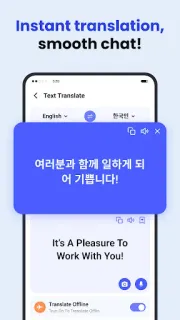
The app’s listed tools cover text, voice, photo, document and screen translation. Type or paste text for a direct translation; use voice input to have speech recognized and converted to a chosen target language; point the photo feature at text in an image. The description presents voice translation for face-to-face and remote conversations, and names travel, study, work and everyday communication as use cases. I would treat it as a handy aid for understanding and basic exchanges, not assume every result is exact enough for an important document or nuanced conversation. It is a translation tool, not project management or CRM software.
On day one, set the languages you use most often if the app offers language preferences, then check its microphone and camera prompts when you first try voice and photo translation. Grant access only when a feature needs it. The listing flags ads and in-app purchases, so look through the Google Play purchase details before relying on it as a no-cost, uninterrupted tool. Translation features also depend on the relevant input: voice needs speech to recognize, while photo translation needs readable text in an image. Keep a second way to confirm wording for sensitive or high-stakes material.
I’d install it if you regularly encounter short passages, signs, menus or spoken exchanges in languages you do not know, and want text, voice and image tools together. I’d skip it if you need guaranteed precision, a fully ad-free experience, or a specialist workflow such as e-signature or invoicing. Start with a low-stakes phrase, check that the language pair suits your needs, and use the Google Play button just below to open the listing.