
A few minutes before a property viewing can be enough to work through a short language lesson. I’d use Mango Languages Learning for that kind of spare moment: it pairs real recordings with listening and reading activities, then offers a daily review to revisit material. That makes it more suited to steady practice than a quick phrase lookup. If a reminder would help me return to a lesson, I’d keep notifications limited to that nudge rather than let them compete with appointment alerts.
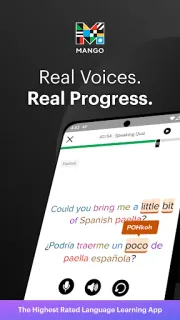
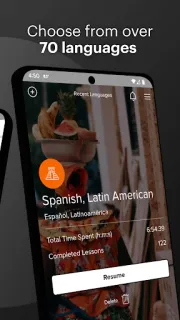
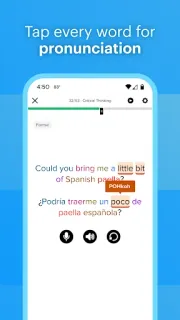
The lessons focus on conversation, combining vocabulary, pronunciation, grammar and cultural context. Mango says its courses cover more than 70 languages and include recordings from native speakers. For speaking practice, the app offers phonetic spellings, natural and slow pronunciations, and a pronunciation comparison tool. Placement tests are available in select languages, which can help choose a starting point. Progress syncs across platforms, so a lesson started on one device can continue elsewhere; interactive listening and reading activities add ways to work with the material beyond repeating phrases.
The app is free to install and offers in-app purchases, so check the Google Play listing for the purchase details that apply before committing. I’d also check whether the language I want has a placement test, since those are available only for select languages. Notifications are most useful when they support a routine; if Android’s notification controls are available for the app, I’d allow only the alerts I want and silence the rest. Daily reviews and syncing are helpful, but they still depend on making time to return to lessons.
I’d install it if I want structured conversation practice, cultural context and a gentle reminder to keep studying. It may not suit someone who only needs occasional translations or expects a course in every language to include the same placement options. It is a different sort of work tool from CRM, invoicing or business email: the focus here is learning how to communicate, not managing a business. Check the Google Play button just below to see the app details and purchase information before installing.
 How-toMango Languages Learning