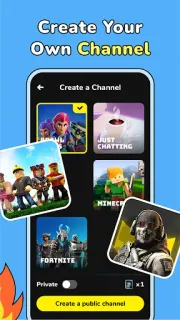
Your regular group chat is quiet, but you have time for a game and would rather not play in silence. CastChat is aimed at that gap: it can help you connect with people who play mobile games and talk by voice. I’d look at it as a social side room for gaming, not as project management or a general-purpose contact list. If you prefer familiar voices, matching is optional in spirit; the appeal is strongest when you’re open to meeting new people.
The app brings together matching, voice chat, group chat, AI friends and AI-powered pets. The developer describes matching with people from many games, then chatting and playing together; AI friends can respond by voice and have customizable characteristics. Pets add a separate idle-play activity for passing time. That mix gives CastChat more than one reason to open, though the core use is still conversation around games. It is not a replacement for video conferencing or cloud storage: the listing’s focus is meeting and chatting, not calls for work or file handling.
I’d check notification, microphone and any account prompts as they appear, and allow only what fits how I plan to use the app. Voice chat needs microphone access to transmit speech; notifications can help with messages but may be distracting. The listing flags ads and in-app purchases, so I’d review purchase controls before exploring optional extras, especially if a child may use the device. I’d also set expectations: matching strangers is different from talking with a known group, and AI companions are app features, not people.
CastChat makes sense for a gamer who wants to find conversation as well as teammates, and is comfortable with social matching, ads and optional purchases. I’d skip it if I only need a quiet voice channel for people I already know, or if I want a business email or CRM tool. On day one, I’d tune notifications and microphone access before trying a room or match. If that balance suits you, the Google Play button just below opens the listing to review before installing.