I compare message privacy, search and everyday replies so you can choose before moving your next sensitive conversation.
Uma MarshReviewer · published Oct 31, 2026 · 6 min read
01A private attachment changes the comparison
An attachment is open on your phone, and you are about to forward it when you notice the personal details inside. That is where I start comparing Gmail with Proton Mail: not with inbox colors, but with who can access the content. Both can handle ordinary correspondence. Their protections differ most when I consider access by the service itself, rather than someone stealing an account password.
I separate three questions before choosing: can someone get into my account, can the provider read stored message content, and what happens after my message reaches another person? Gmail emphasizes account protection, filtering and connected work. Proton Mail builds its service around encrypted mail and reduced provider access. Those are different strengths, and neither makes a forwarded attachment private again.
For business email, I also consider the person replying. A privacy feature that requires a separate password can be worthwhile for a sensitive exchange, but it adds a step compared with a normal reply. My choice therefore depends on both the contents of the conversation and its destination. The distinction between a protected inbox and a protected conversation comes next.
02Encryption: Proton wins, but the recipient matters
Gmail normally protects messages in transit with supported connections and encrypts stored data. I regard that as important baseline protection, not as standard end-to-end encryption: ordinary personal Gmail correspondence is not encrypted in a way that excludes Google from accessing its content. Specialized organizational configurations are a separate case. For this comparison, I would not treat the regular Gmail app as a confidential channel that keeps the provider outside the conversation.
Proton Mail uses zero-access encryption for stored message bodies and attachments, and mail between Proton users is end-to-end encrypted automatically. That gives it the stronger default position for limiting provider access to content. I keep the boundary clear, though: email addresses and other routing information are not all concealed by message encryption. A private message body does not make the entire exchange anonymous.
For someone outside Proton, its password-protected message option extends protection through a separate reading flow. I would share that password through a different channel, not alongside the message it protects. Ordinary mail sent to an outside inbox does not automatically gain that same end-to-end protection. Proton wins this category, but I would check the recipient and sending method before relying on that advantage.
03My side-by-side table separates six everyday decisions
I use the same six points for both apps below. The winner changes because privacy and convenience solve different problems: preventing provider access is not the same task as finding an old attachment or joining a call. These judgments concern the ordinary Android experience, not an organization's specially configured mail system. I would read the first two rows before letting the convenience rows decide.
Point | Gmail | Proton Mail | My pick
Stored in ps placeholder
04Search and connected work: Gmail earns its convenience
When I need a message quickly, Gmail's search is a practical advantage. I can narrow a search with operators such as from:, has:attachment and older_than:, rather than scroll through a long conversation list. Proton supports search, but encrypted content creates different constraints, and I would not assume identical message-body search behavior across devices. For frequent searches through accumulated correspondence on Android, I favor Gmail.
Gmail also supports switching between accounts from different providers. Proton Mail is primarily a home for Proton accounts, rather than an equivalent hub for unrelated inboxes. As a real estate agent working from the car, I would value finding a viewing thread and choosing the correct sender account while safely parked. That convenience would not change my judgment about which service better limits access to stored message content.
The Gmail update notes emphasize Chat, spaces and voice or video calls alongside email. I see that as useful if video conferencing already runs through Google Meet and cloud storage through Google Drive. Neither email app replaces project management or a CRM; the issue is how easily messages fit the tools already in use. Gmail wins connected work, but each added connection deserves a privacy check of its own.
05Account safety and recovery need a separate decision
I would enable two-factor authentication with either service before moving important correspondence. Gmail's automatic filtering for spam, phishing and harmful content is a substantial part of its appeal; Proton also provides spam filtering and account protections. I cannot rank their ability to catch every malicious message from a feature list. Encryption alone would not stop me from entering a password on a convincing fake sign-in page.
Recovery is where I would slow down with Proton. A privacy-focused encryption design means restoring account access and restoring access to older encrypted content can be different tasks. I would open its recovery settings, follow the available account and data recovery guidance, and keep recovery material somewhere secure outside the mailbox. Gmail also needs current recovery details, but Proton makes preparation especially important to my choice.
I would also check the phone's notification settings so private message previews do not appear on the lock screen. Neither app's encryption protects text displayed to someone standing nearby, and neither prevents a recipient from copying what they can read. I give Proton the provider-privacy win, not a blanket safety win. Account protection, device access and recovery habits still matter whichever inbox I choose.
06Pick Proton for separation, Gmail for a working hub
I would pick Proton Mail if my main aim were to reduce provider access to stored message content, particularly when the people I contact also use Proton. I would accept a separate workflow for outside recipients when a conversation warrants it. Before committing, I would set up recovery and send a password-protected message to a trusted contact so I understood the reading and reply process.
I would keep Gmail if cross-provider account switching, strong inbox search and Google Workspace connections carried more weight in my day. Its writing and inbox assistance can be useful, but the Gemini features described in the listing require an eligible plan and an internet connection. I would not choose Gmail on the assumption that every assistance feature is available to every account, or that convenience equals end-to-end privacy.
My practical middle ground is to give each inbox a clear purpose rather than move everything at once. Gmail can remain the everyday coordination hub while Proton handles selected private conversations. I would avoid automatically forwarding those Proton messages into Gmail, because that would undermine the separation I chose. The deciding question is simple: am I trying to streamline my work, or keep the mail provider outside my message content?
The takeaway
First, identify one conversation whose contents deserve tighter privacy, then check its recipient and recovery needs. I would choose Proton for stronger protection from provider access, or Gmail when search and connected work are the priority.
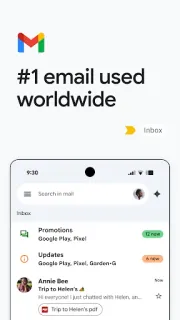
For a closer look at account switching, search and connected features, continue to my Gmail page just below.
Notes After Use is independent and not affiliated with Google LLC. This guide reflects the reviewer's own setup; menus can differ by device and version.

 TipsTownSq Community

 CompareWedding Planner by MyWed

 TipsBend
 TipsGmail

 How-toMango Languages Learning
 TipsBuddy.ai

 TroubleshootingFood City
 TroubleshootingtheScore
 How-toStronger
 How-toStop & Shop