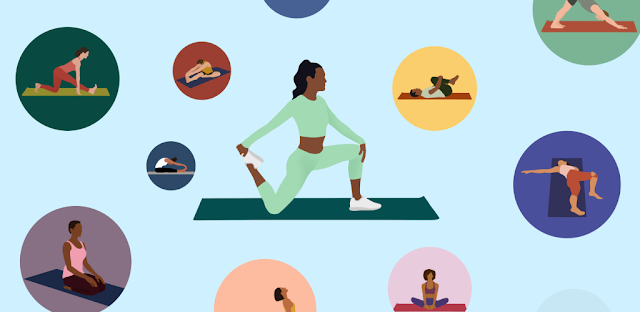
I use these six Bend choices to make a short routine easier to start, especially on rushed mornings.
Uma MarshReviewer · published Nov 7, 2026 · 6 min read
01Start with Wake Up before your feet hit the floor
At the edge of the bed, the decision is rarely “should I stretch?” It is usually “which routine is short enough that I will actually begin?” On Bend’s routine selection screen, I would open Wake Up first rather than browse the whole collection. A named morning routine removes the comparison spiral and gives the app one clear job: get me moving before the day starts demanding attention.
The useful gesture is a simple one: tap the routine before checking messages, then place the phone where the next move is easy to see. I do not treat it like a workout plan that needs ideal clothes, equipment or a reserved hour. It pays off on mornings when a longer session would lose to coffee, traffic and the first appointment.
02Choose an occasion, not the most ambitious body goal
Bend has routines for different moments, and that is more useful than chasing the biggest-sounding flexibility target. On the routine screen, I would choose the option that matches the next block of my day: waking up, winding down, an outdoor activity or a general mobility break. That choice gives the session a practical boundary instead of turning it into a test of how far I can reach.
This is where people often make a fitness tracker mistake: they let a number decide what the body needs. I prefer the immediate context. If I am about to spend time driving between property viewings, a routine that fits a stationary, cramped day makes more sense than selecting something because it sounds demanding. The right occasion is the one that makes tapping Start feel obvious.
03Pause on the first unclear pose instead of pushing through it
When a new stretch appears and the position is not immediately clear, use the pause control on the routine playback screen. Look at the demonstration, set the phone down again, and resume only once your setup feels stable and comfortable. This is a small habit, but it prevents the common rush of trying to catch up with the timer while twisting into a shape you have not understood.
I would also use that pause to make the pose smaller, not deeper. Bend offers many stretches and yoga poses, so unfamiliarity is normal rather than a reason to quit the whole routine. Pausing pays off most during a first pass through a routine or after a long gap, when the goal is to learn the sequence well enough that tomorrow’s tap feels easier.
04Turn off auto-rotate before you put Bend on the floor
A phone that flips sideways halfway through a stretch is a surprisingly good excuse to stop. Before beginning, use your phone’s quick settings to switch off auto-rotate, then set Bend where you can glance at it without holding it. Keep the display in the orientation that shows the instructions clearly when you are standing, kneeling or lying down.
This is particularly handy in a small space, where the phone may sit against a wall, chair leg or water bottle instead of on a proper stand. It also separates this from sleep tracking, where the phone can disappear onto a bedside table and be forgotten. Here, the screen is a quiet visual guide, so keeping it still helps the routine flow from one pose to the next.
05Pick one routine before putting on running shoes
If I plan to walk, run or spend time outdoors, I choose the Bend routine before putting on running shoes. The gesture is to open the routine list while I am still indoors and commit to one option, rather than opening the app after I am already dressed and impatient to leave. A short pre-activity routine has a much better chance when the choice is made early.
The important distinction is between preparing and delaying. I would use a Bend routine that suits the occasion, then finish it and go; I would not keep adding stretches because the app offers plenty to explore. This pays off when a planned activity already has enough friction: finding keys, filling a bottle and getting out the door. The routine should reduce decisions, not become another one.
06Use a wind-down routine as the end of your screen time
At night, open a Bend routine intended for winding down before you start scrolling in bed. The key setting is your phone’s Do Not Disturb mode: switch it on first, then begin the routine with the screen placed nearby. That keeps ordinary alerts from breaking the sequence and stops a quick stretch from becoming another round of messages and tabs.
I see this as a useful companion to a meal planner or gym membership, not a replacement for either. Those tools organize larger habits; Bend can mark a small, repeatable transition at home. It pays off on evenings when motivation is low because the finish line is simply completing the routine you selected, putting the phone aside and moving on with the night.
The takeaway
First, open Bend and choose the routine that matches the next part of your day, then make one phone adjustment that removes friction: pause when needed, lock screen rotation or enable Do Not Disturb.
For more practical notes on Bend, continue to this site’s Bend page just below.
Notes After Use is independent and not affiliated with Bend Health & Fitness, Inc.. This guide reflects the reviewer's own setup; menus can differ by device and version.
 TipsTownSq Community

 CompareWedding Planner by MyWed

 TroubleshootingFood City
 How-toStronger

 How-toYuka

 TroubleshootingtheScore

 CompareGmail

 How-toStop & Shop
 How-toNETGEAR Nighthawk WiFi
 How-toGoWish

 How-toMango Languages Learning