Gmail this week: what survives a signal gap?
Issue 55 · Nov 9–15, 2026. This week's Gmail notes emphasize chat, spaces and calls alongside email; I recommend updating and checking sync, with the next screen covering offline limits and the Outbox check before a client follow-up.
My take first, then sync and Outbox checks
StartWhat changed this week
These are the three changes in Gmail that stand out in the developer's update notes and on its Google Play listing this week.
- 01Chat and calls stay beside the inbox
The update notes emphasize email, Chat, Spaces and voice or video calls in one place. I see the appeal for arranging viewings, but video conferencing needs a dependable connection; keeping those controls nearby does not make them useful in a signal gap.
- 02Search helps recover the viewing details
The listing highlights keyword search and summary cards at the top of messages. I would start with the property address or sender before a viewing. With weak reception, I would open the actual thread beforehand rather than assume every search result will remain available.
- 03Multiple accounts, separate follow-ups
Support for accounts from different providers matters when personal messages and business email share a phone. I prefer checking the account avatar before replying to a client. That small pause is especially useful when a delayed send makes me revisit a message later.
My verdict, the full review and the link to the official Google Play listing are on this issue's Gmail page.
Our take on this build
Check one settingI would update, check sync, and keep essential viewing details outside a live connection.
Where I see the gain between viewings
As a real estate agent working from the car while parked, I need the last client reply more often than another meeting tool. Gmail's account switching and search fit that routine. I would open the viewing thread while connected, then check that the address and access instructions are actually readable before leaving coverage.
For a team already using Spaces, keeping the conversation beside email can reduce the hunt for a changed appointment. I see that as lightweight coordination, not a replacement for project management. A thread can carry the latest instruction, but I still want a clear owner and an agreed appointment in the calendar.
The sync settings I would inspect first
I open the menu, tap Settings, choose my Gmail account and check Sync Gmail. This is the starting point for keeping messages current, not a promise of complete offline access. I then return to the inbox while connected and open the next viewing's thread.
In Settings > my Gmail account, I check Days of mail to sync and choose a range that covers current client conversations. A longer range can use more storage. I also open any essential attachment while connected; a visible message does not guarantee its attachment is available offline.
Good
- I can keep client accounts within one app
- I can search by address or sender
- I can move from email to team conversation
Watch for
- I cannot count on every message being cached
- I need connectivity for calls and fresh search results
- I check queued replies rather than assume delivery
Also in this issue
Gmail is one of 11 apps in Issue 55. Next up in this issue:
Tips
- Search the address before leaving coverage
I tap Search in mail and enter the property address or the client's email address while reception is good. Then I open the relevant thread and its attachments. If a message links to cloud storage, I treat that link separately: seeing the email does not mean the linked file will open without a connection.
- Check Outbox after a weak-signal reply
After tapping Send on patchy reception, I tap the menu and open Outbox if it appears. A message there still needs attention or a connection before it can leave. Once reception returns, I check Sent too. I avoid composing a duplicate follow-up just because the first one did not appear to move immediately.
- Choose the account before composing
I tap the account avatar at the top right and select the account I use for client correspondence before tapping Compose. Inside the draft, I check the From address again. This keeps the sending identity clear when I am moving between personal messages and viewing arrangements, especially if I return to an unfinished reply later.
Menu names follow the developer's help pages and can differ slightly between versions and phones.
Reads about Gmail
- Compare · GmailGmail or Proton Mail: Who Can Read Your Messages?I weigh stronger message privacy against the convenience of keeping Gmail at the center of work.
- Tips · GmailGmail: 6 ways to catch the detail before you replyA useful card is only the start: my six checks for clearer Gmail replies and fewer missed details.
- Troubleshooting · GmailGmail alerts only when opened? Fix the delay in orderMail appears only after opening Gmail? I start with sync, then check what holds alerts back.
- Tips · TownSq CommunityTownSq Community: 6 Ways to Catch Building NoticesSix practical checks for seeing TownSq Community notices before a deadline passes.
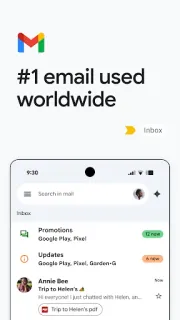
 CompareGmail
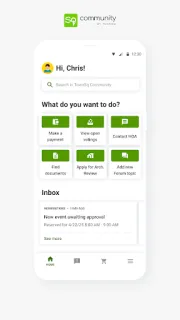
 TipsTownSq Community
How we write the digest
A changed button matters more to me than a long list of fixes if it interrupts an everyday task. I read each app’s Google Play listing and update notes, then use apps in my own routine to give those claims practical context. I separate the stated changes from my own observations and compare the benefit with the effort of adjusting settings or learning a different screen. I say plainly whether I think an update deserves action, a closer look or no immediate attention. Each digest leaves you with a useful next step.
FAQ
Am I reading Google's release notes here?
No. I write Notes After Use as an independent reviewer, with a focus on client follow-ups and unreliable reception. The Gmail Google Play listing is the authority for official release notes; my role here is to explain what those notes mean for that routine.
Why do I see Open when I came here to update Gmail?
I would read Open as Google Play offering no newer build to that device at that moment. The app may already be current, or a staged rollout may not have reached it yet. I would check the listing again later rather than seek another source.
Can I send a client reply from a viewing with no signal?
I can compose a reply if the relevant message is available, but sending requires a connection. Gmail can queue mail until connectivity returns. I check Outbox and then Sent when reception recovers; I do not treat tapping Send offline as confirmation that the client received it.