A reminder is most useful when it arrives where you will see it. If you are fitting a benefits appointment around errands or a workday, NYC ACCESS HRA lets you add an appointment reminder to your phone or tablet. I would use that alongside the app’s appointment list, so a missed alert does not leave you without a way to check what is coming up.
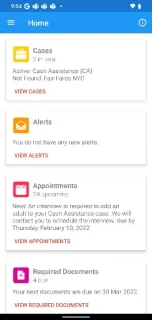
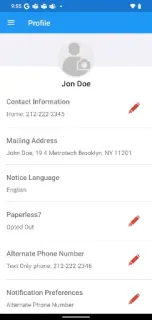
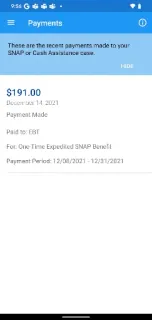
The Cases section shows current SNAP or Cash Assistance case status, EBT balances for benefits and upcoming recertification dates. It can also show Fair Fares NYC discount status and renewal period, or Access-A-Ride status. Appointments are grouped as upcoming, missed or completed. The Payments section covers upcoming and past payments, including payments to a landlord, utility company or EBT card. For document requests tied to an application, recertification, periodic report or special grant request, Required Documents provides a list; you can photograph a document or choose an image from your camera roll. My Uploads keeps a history, with each document remaining on the list for 100 days.
The useful notification is the appointment reminder you choose to add; I would not treat the app as a substitute for checking case details or agency messages. Keep phone notification permissions enabled if you want reminders to surface, and check the app directly when a date or required document matters. Uploads need to be clear enough for agency review, so a dim photo or cut-off page is a poor bet. You will also need access to your relevant case information to make the case-specific screens useful.
I’d install it if I manage a New York City SNAP or Cash Assistance case and want appointment dates, payment details and document tasks in one mobile place. It may also suit people checking Fair Fares NYC or Access-A-Ride status. If you need sleep tracking, a meal planner or a gym membership tool, this Health & Fitness category label is not a reason to choose it; its purpose is benefits administration. Check the Google Play button just below to open the official listing before you install.