A showing runs late, and the gap before the next appointment is suddenly small. A brief reminder can help me use that spare stretch for movement rather than lose it to scrolling; Fitify offers 15-minute daily workouts alongside longer options. I’d keep notifications tied to a time I can actually act on, not every possible workout slot. That makes the nudge useful instead of another alert to dismiss.
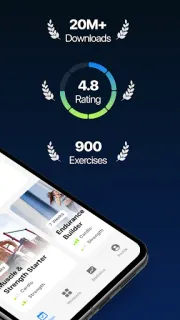
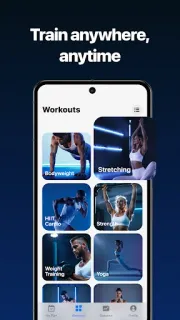
Fitify creates a fitness plan around experience, goals and available time, and offers more than 20 prebuilt workouts by body part, training type and duration. Bodyweight routines need no equipment; other plans can use tools such as dumbbells, resistance bands or a kettlebell. The app also has recovery sessions for stretching, yoga and foam rolling, plus a custom workout builder, voice coaching and offline access. If a fitness tracker is part of your routine, treat its sleep tracking or activity prompts as a separate stream: Fitify’s notifications are the ones to shape around the sessions you choose.
The listing says Fitify is free to install and offers in-app purchases, so check the Google Play listing for purchase details before committing to a plan. Notification controls can vary by Android version and device; if a reminder fails to appear, check Fitify’s notification permission in Android settings and the app’s own reminder controls. I’d avoid enabling every prompt by default, especially if work messages already crowd the notification shade.
Fitify suits someone who wants structure, exercise options at home and a prompt that can fit around an unpredictable day. It is less suited to anyone who wants reminders to replace planning, or who prefers a meal planner, gym membership or fitness tracker to guide a session. If that balance sounds right, use the Google Play button just below to check the listing before you install.