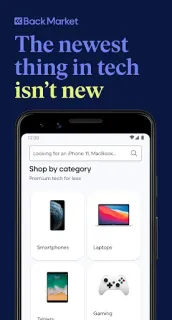
A phone starts misbehaving between property showings, and I need a replacement without losing track of the options I have already considered. Back Market gives me one place to compare refurbished phones with laptops, tablets and game consoles, then save devices for later. As a real estate agent who works from the car, I value being able to return to a shortlist rather than rely on memory; the app is most useful when I am ready to compare, not just browse.
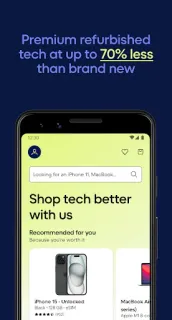
The marketplace connects shoppers with refurbished electronics, including Apple devices and phones from brands such as Samsung, Huawei, Xiaomi and Google. I can save favourites, follow price changes, assess an old device for trade-in and track orders in the app. The listing also describes shipping, a warranty, a period to change my mind and customer support. Those terms make the offer easier to assess, but I would read the conditions for the specific item before treating them as a guarantee that every purchase works the same way. It is a focused online marketplace, not a general store for groceries or household goods.
The convenience comes with the usual account and data trade-offs of a shopping app. Order tracking and saved items are more useful when tied to an account, so I would check what details checkout asks for and review Android’s permission prompts rather than grant access automatically. Notifications can help with price changes or order progress, but I would enable only the alerts I want. Trade-in value depends on the device assessment, and the final cost can also depend on the chosen item and checkout terms; compare the full total, condition grade and return details before paying. I would not treat a headline saving as a substitute for checking the exact model and its condition.
Install it if refurbished electronics are on your shortlist and you want saved comparisons, order tracking and a way to assess an old device for trade-in. Skip it if you only want brand-new products, prefer to shop without an account, or do not want shopping notifications. I would also compare the specific device and its terms with other options before deciding; this app is a useful place to start, not a reason to rush. Check the Google Play button just below to open the listing and confirm you have the right app.

 How-toBack Market