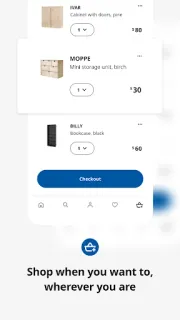
A hallway shelf becomes a household debate: one person wants closed storage, another wants a place to drop keys. I’d use IKEA’s saved lists to collect options in one place, then share the list with family or a small team so everyone can compare the same pieces instead of passing around product names in messages. It’s a practical way to keep a home project from splitting into separate wish lists.
The app lets me browse furniture, home decorations and ideas, shop online or in-store, and save favorites in organized lists for later. In a store, Shop & Go lets shoppers scan products while walking around and skip the checkout line. For an order, the app offers home delivery and order tracking. IKEA Family members can access their card and past receipts in the app, which is handy when someone else in the household needs to find a purchase record. These are useful tools for coordinating a shopping plan, not a substitute for agreeing on measurements and room fit.
A shared list helps with planning, but it doesn’t settle who is buying each item or whether it will fit through the door. Check product details and delivery charges before committing; the app is free to install, while purchases and delivery may cost extra. Shop & Go is tied to shopping in a store, and IKEA Family features are for members. I’d also review the app’s requested permissions and privacy choices during setup, especially if multiple people will use the same device or account.
I’d install it for a household that shops at IKEA together, wants a running project list, or needs order progress and receipts in one app. It may be unnecessary if you only want inspiration occasionally, prefer to keep shopping notes elsewhere, or don’t use IKEA Family and store shopping features. For a shared project, agree who maintains the list and check the item details together before ordering. If that fits your routine, use the Google Play button just below to open the listing and install it.