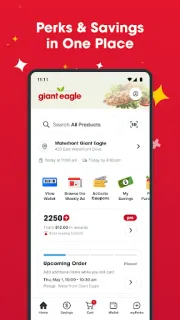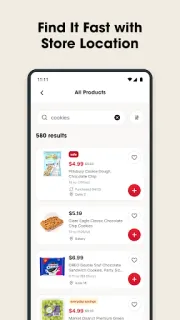
At the kitchen counter, I’m deciding whether to buy the usual cereal or switch to a sale pick. Giant Eagle gives me a way to check its Weekly Ad, browse Deals for Days and clip digital coupons before I head out. Once the list is in hand, aisle numbers can help me find items in a neighborhood store. That makes the app most useful before the trolley is full, when a change is still easy.
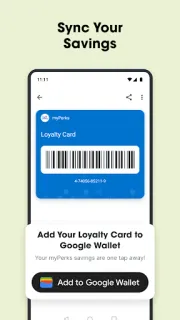
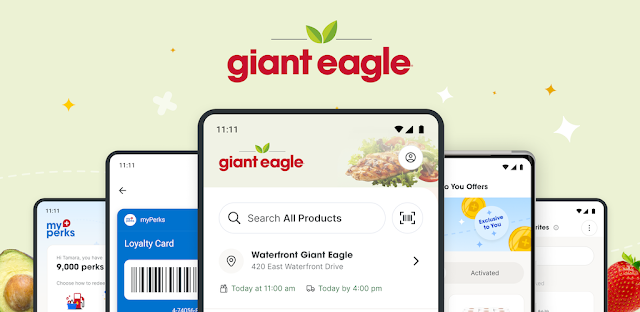
The Savings section gathers offers, including Everyday Savings and personalized Exclusive To You Offers. The app also connects shopping to myPerks: I can check my balance, see potential savings when redeeming perks on groceries or gas, review savings history and bring up a digital Loyalty Card. For a shop I’d rather not make in person, I can order groceries and schedule Curbside pickup or delivery. It combines offer browsing and ordering, though it isn’t a general price comparison service across retailers.
The trade-off is that some savings depend on using the Loyalty Card, clipping coupons or activating an offer; simply seeing a deal may not be enough to apply it. Rewards and personalized offers also make this an account-linked shopping experience, so I’d consider what details I’m comfortable sharing and check the app’s requested permissions before proceeding. If you’re expecting delivery tracking, check how order updates appear in the app rather than assuming the ordering feature covers every delivery detail. Curbside pickup and delivery are conveniences, not a reason to overlook the final order details.
I’d install it if Giant Eagle is already part of my grocery routine and I want its offers, list tools and ordering in one place. I’d skip it if I shop across many chains and want a broad online marketplace or a single view of prices elsewhere; this app is centered on Giant Eagle. The clearest reason to keep it is tying store-specific savings to a real shopping trip. Use the Google Play button just below if those are the tools you need.