The basement grocery aisle is a poor place to rely on a connection: shelves block the signal, and a list that needs constant refreshing can slow a simple errand. I’d set up the items before leaving, then use the list as a straightforward checklist while shopping. The app’s appeal is its small set of actions, not a complicated planning system.
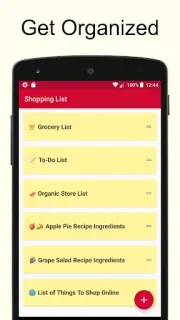
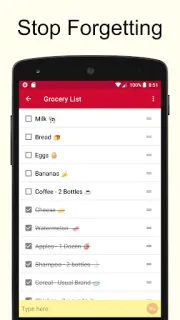
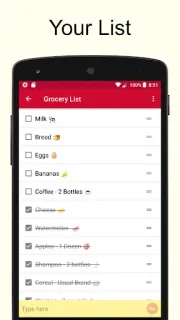
Tap the plus sign to create a list, type items in the yellow text box, then tap an item to cross it off. You can make separate lists for different stores or other needs, reuse them on later trips, and clear crossed-off items with the trash icon. Alphabetical sorting can help when a list grows, and emojis can be added through the keyboard. The developer also describes real-time syncing across devices, which is useful when more than one person needs the same list—but that part depends on a working connection.
For weak-signal shopping, I’d distinguish between using a list already on the phone and syncing changes to another device: the listing describes real-time syncing, not an offline collaboration feature. Treat edits made without a connection as something to verify when service returns, rather than assuming another person will see them immediately. The app contains ads and offers in-app purchases; check the Google Play listing for purchase details before relying on it as a no-cost tool. Keep the list simple if interruptions or extra prompts would be frustrating.
I’d install this if I want a light grocery checklist, repeat the same purchases, and can manage shared changes when the connection is back. I’d skip it if offline syncing between several people is essential, or if I need reminders, meal planning, or detailed inventory controls. For a basic solo run, the plus sign, yellow entry box, and tap-to-cross-off routine are easy to understand. Use the Google Play button just below to check the listing before you install.