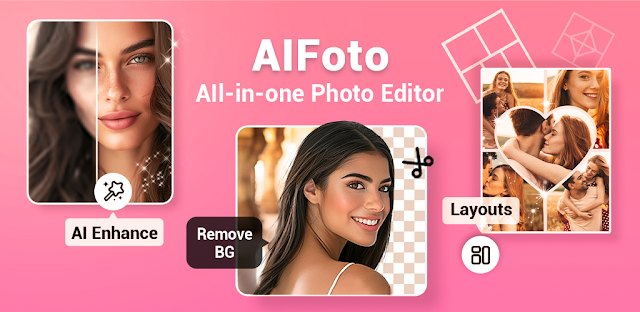
A rushed morning leaves one photo that needs a small fix before it goes into a group chat or an Instagram story. I’d open AIFoto for a quick blemish touch-up, a filter, or a collage rather than move between separate apps. That makes it a practical stop in a daily photo routine: choose the picture, make a focused change, and decide whether it is ready to share. If the edit needs careful color work, the new selective controls are worth a closer look.
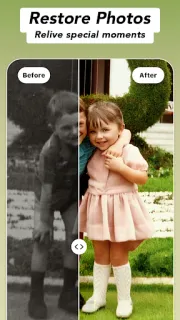
The feature mix covers face and body retouching, including skin smoothing and adjustments to facial features or body shape. AI Photo Enhancer is intended to sharpen or improve a picture, while AI Remove can clear unwanted objects; there are also background removal, makeup filters, cartoon effects, and more than 100 effects described by the developer. For a story made from several shots, the collage maker gives the app another everyday use. The latest notes add selective light and color adjustments and curve presets, bringing some more deliberate color editing into the same workflow. I’d treat these as editing choices, not a guarantee that every result will look natural.
AIFoto is free to install, but it contains ads and offers in-app purchases, so check the Google Play listing for purchase details before settling into a routine. Retouching and reshaping can also make a casual selfie look noticeably altered; I’d compare the edited picture with the original before sharing, especially after stacking smoothing, makeup, and shape adjustments. Photo editing software that handles many jobs in one place can be convenient, but a busy toolset may take more taps than a simple crop or brightness change. Use the app’s requested access only when it makes sense for the photo task at hand.
Install it if you regularly touch up selfies, assemble social collages, or want filters and object removal close at hand. Skip it if you want a quiet, minimal editor for occasional crops, or prefer not to see ads and purchase options in a free-to-install app. If your routine depends on subtle edits, start with one adjustment and inspect the result before adding another. Check the Google Play button just below to confirm the app and review its purchase details before installing.


 Best picksAI Photo Editor