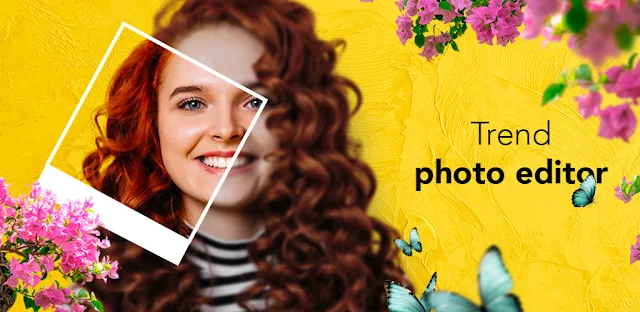
A portrait looks fine, but the background is cluttered and the colors feel flat. Photo Studio earns a place when you want to turn that one picture into something more deliberate without switching between several editing apps. I’d start with the background or color tools, then add a frame or a little text only if the image needs it. For a quick greeting, the Valentine’s Day stickers, frames, and effects in the latest update notes offer a ready-made direction.
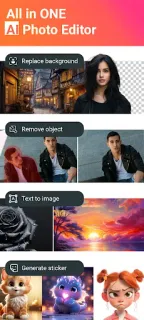
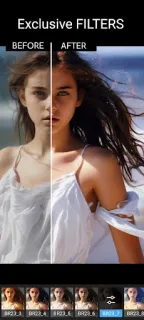
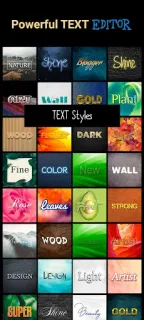
The app combines several kinds of photo editing: retouching portraits, changing a photo’s background, adjusting picture color, cropping, and applying camera filters or vintage effects. You can also layer pictures, combine them for effects, make collages, add text, and use blur or unblur tools. That breadth is the main reason to keep it: it can take a picture from basic correction to a more playful composition in one place. It is closer to an all-purpose creative toolkit than a focused photo editing software pick, and its photo combiner and frames are the features I’d look at first if a single finished image is the goal.
The trade-off is a busy set of creative options rather than a narrow, predictable workflow. The Google Play listing flags both ads and in-app purchases, so check the purchase details before relying on a particular effect or planning a larger project. The description also promotes removing people or objects; I’d treat that as an editing option, not a guarantee that every complicated background will look seamless. Consider what access the app requests when you first use it, and allow only what makes sense for the editing task.
Install it if you like experimenting with layered photos, collages, text, color changes, and decorative effects, or want one app for several casual edits. Skip it if you need a minimal editor, a strictly controlled retouching workflow, or an uninterrupted session without ads. I work from my car between property appointments, so I’d keep this for a quick creative finish rather than assume it replaces a dedicated editing setup. Check the Google Play button just below for the app and its current listing details.
 TroubleshootingPhoto Studio