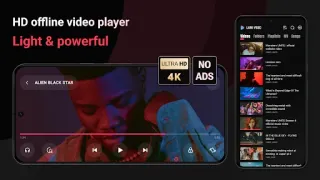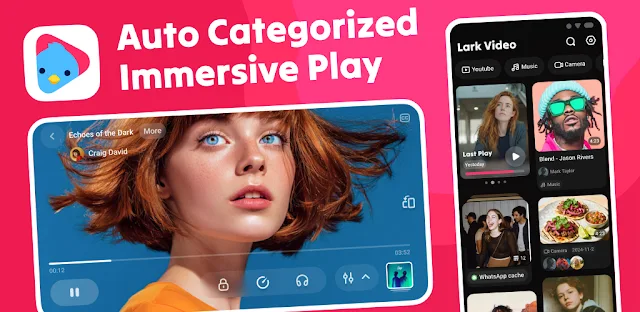
A clip is buried among local movies, social posts and short videos, and scrolling a plain file list is slow. Lark Video Player is meant to make that moment easier: it automatically groups offline videos, so I can start with a category instead of guessing a filename. Its short-video-style switching also suits a quick browse through similar clips. The payoff depends on having videos stored on the device; this is not a service for finding or streaming new films.
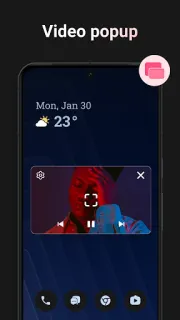
The library can sort long and short videos, social media clips, music and movies, and the app says it can group content by creator. It supports common formats including MP4, MKV, MOV, WebM and 3GP. For a clip I want to keep visible while using another app, there is a floating picture-in-picture popup. I can also play a video as background audio, with music animations, and manage offline music files with sound effects. Those features make it a player and organizer, not a video editor or a tool for graphic design, photo books or a podcast.
The first thing likely to go wrong is finding the right file: automatic categories are useful, but a large or mixed library may still take some browsing. Playback also depends on the file format and the device; a listed format is not a promise that every file will play perfectly. To organize local media, expect to grant access to the videos or audio you want it to show. Popup playback may depend on Android's picture-in-picture settings, and background audio can behave differently when other apps compete for sound. The app is free to install, but check the Google Play listing for any in-app purchase details before choosing it.
Install it if you mainly watch or listen to files already on your phone and want categories, popup playback or video-to-audio listening in one place. Skip it if you need editing tools, cloud streaming or a guaranteed fix for every unusual file. The developer's update notes say the app is adapted for Android 15; on an older phone, I would still check compatibility and media permissions before relying on it. If that trade-off suits you, use the Google Play button just below to open the listing.