Google Maps update: what changes before dinner?
Issue 55 · Nov 9–15, 2026. This Google Maps release brings bug fixes for place discovery and navigation. I recommend updating; the next screen walks through restaurant details, parking checks and fuel or charging stops.
Next: my verdict, two settings and arrival tips.
StartWhat changed this week
These are the three changes in Google Maps that stand out in the developer's update notes and on its Google Play listing this week.
- 01Bug fixes, not a new reservation tool
The release notes describe bug fixes that help with discovering places and navigating to them. I would treat this as routine maintenance, not a new restaurant booking feature. My reason to update is keeping that search-to-directions workflow current.
- 02Restaurant details worth checking before Directions
The listing highlights reviews, photos and restaurant reservations. I would compare the place page before committing to a table, then look at the surrounding streets. A promising menu and a convenient arrival are separate questions; Maps helps me examine both.
- 03Preview parking before choosing the route
Street View and live traffic are the listing features I would pair with a dinner plan. I can inspect the approach before leaving, then compare routes with current traffic. For fuel or charging stops, I would check the individual place details first.
My verdict, the full review and the link to the official Google Play listing are on this issue's Google Maps page.
Our take on this build
Update nowI would update for maintenance, then check the details that determine an easy arrival.
A table reservation with another stop on the way
I get the most value from Maps when choosing dinner also means finding fuel and a practical place to park. Reviews and photos help narrow the restaurant choice, while the map gives me a separate view of the surrounding streets. I would settle both questions before tapping Directions.
For dinner near an airport, I would compare the restaurant location with the terminal and any car rental return point, rather than judge by distance alone. Before flights, an awkward approach matters more than a tempting photo. Maps is useful for examining that route, but I would keep the reservation confirmation handy.
My two checks before trusting the route
In Settings, I would open Navigation settings and check Voice selection before leaving. Clear spoken instructions matter when the restaurant entrance is close to a busy junction. I would make that choice while parked, then inspect the final approach on the place page.
In Settings, I would open Navigation settings, then Fuel-efficient routes and check Engine type. I want route preferences to reflect the vehicle I am driving. That setting is separate from finding a suitable charging station; I would still inspect connector details on its place page.
Good
- I can compare restaurant photos and reviews before routing.
- I can inspect parking approaches with Street View.
- I get live traffic context for the trip to dinner.
Watch for
- I treat reviews as opinions, not guarantees.
- I check reservation availability for each restaurant.
- I verify charger suitability and parking restrictions separately.
Also in this issue
Google Maps is one of 11 apps in Issue 55. Next up in this issue:
Tips
- Open the restaurant page before booking
I would tap a restaurant pin, open Reviews and compare comments about service with the photos. If the place page offers Reserve a table, I would tap it and check the party size and time before confirming. I keep the confirmation accessible; navigation to the restaurant is not proof of a reservation.
- Search parking, then inspect the approach
I would tap the search bar and search for parking near the restaurant by name. After choosing a result, I would open its place page and tap the Street View preview where available. I look for the entrance and the walk to dinner, while treating posted signs on arrival as the current guide.
- Choose fuel or charging before starting
I would tap the search bar and search for gas stations or EV charging near the restaurant, then open a result rather than route immediately. For charging, I would inspect the available connector and access information; for fuel, the approach and opening hours. Only then would I tap Directions to compare the detour.
Menu names follow the developer's help pages and can differ slightly between versions and phones.
Reads about Google Maps
- Tips · TownSq CommunityTownSq Community: 6 Ways to Catch Building NoticesSix practical checks for seeing TownSq Community notices before a deadline passes.
- Compare · Wedding Planner by MyWedWedding Planner by MyWed or WeddingWire for guest lists?My take on MyWed versus WeddingWire for guests, tasks, venues and shared planning.
- Tips · BendBend: 6 ways to stop skipping your daily stretchSix practical Bend habits for choosing, starting and finishing a stretch routine.
- Troubleshooting · Food CityFood City Coupon Won’t Apply? Fix It in 6 ChecksGet a Food City digital coupon attached, matched to the item, and visible before checkout.
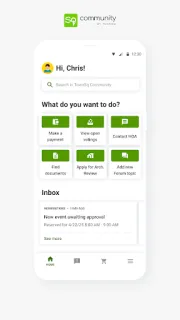
 TipsTownSq Community

 CompareWedding Planner by MyWed
 TipsBend
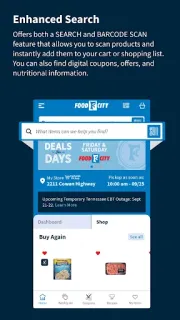
 TroubleshootingFood City
How we write the digest
A changed button matters more to me than a long list of fixes if it interrupts an everyday task. I read each app’s Google Play listing and update notes, then use apps in my own routine to give those claims practical context. I separate the stated changes from my own observations and compare the benefit with the effort of adjusting settings or learning a different screen. I say plainly whether I think an update deserves action, a closer look or no immediate attention. Each digest leaves you with a useful next step.
FAQ
Am I reading Google's release advice before heading to dinner?
No. I write Notes After Use as an independent reviewer, and this is my practical reading of the release. The Google Play listing is the authority for official release notes; my focus is what those notes mean for restaurant searches and the route there.
Why do I see Open when I check Maps before leaving?
I would read Open as Google Play offering the currently installed app, with no newer release available to that device at that moment. Updates can reach devices in stages, so another phone may show Update first. I would use the available app and check the listing again later.
Would I use Maps to confirm both a table and a charger?
I would use the restaurant page to look for a reservation option and the charging place page to inspect connector and access details. Those are separate checks: a table confirmation does not reserve a charging space. I would keep a backup charging location in mind before setting off.