I’ll show you how to compare hair colors and cuts from one clear selfie, so you can narrow the choice before you sit in the chair.
Uma MarshReviewer · published Nov 1, 2026 · 6 min read
01Start with one selfie that shows your hairline
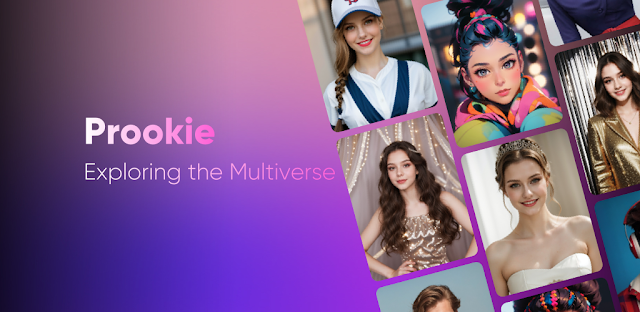
You are standing near a salon window, someone asks what you want done, and suddenly “a little warmer” is not much of a plan. I use Prookie to put a few visible options beside each other first. The useful result is not a perfect forecast; it is a clearer way to reject shades and cuts that pull my attention in the wrong direction.
Choose a front-facing photo with daylight falling evenly across your face. Keep your hairline, forehead, jaw, and both sides of your face visible. Heavy filters, sunglasses, deep shadows, and a hand covering the chin make a face-shape reading less useful and can make a color sit oddly around the edges of the hair.
If your goal is a color decision, use a photo where your current hair color is visible from roots to ends. If the goal is bangs or a shorter cut, a photo with your head upright is more valuable than a posed angle. That one choice makes the comparisons ahead much easier to read.
02Run Face Shape Test before picking a cut
I begin with the face-shape tool because it gives the hairstyle search some boundaries. A round, oval, square, long, heart, or diamond result is best treated as a starting category, not a rule. Hair density, parting, and what you actually enjoy maintaining still matter more than a label.
1. Tap “Face Shape Test”.
2. Tap “Upload photo”.
3. Choose the clear, front-facing selfie.
4. Review the face-shape result before leaving the screen.
Once you have a result, look for the balance it suggests rather than chasing a category name. A broad jaw can make soft length around the face appealing; a longer face may make very tall volume less appealing. Save that thought for the hairstyle comparison, where it becomes more concrete.
03Compare short, long, bangs, and curls with one baseline
Open the hairstyle area and make only one change at a time. I would compare a short style against my original photo, then return to the same original for long hair, curls, straight hair, and bangs. When every option starts from the same image, you can see the effect of the cut instead of reacting to a new pose or different lighting.
1. Tap “Get a new hairstyle”.
2. Tap “Upload photo”.
3. Select the same selfie used for “Face Shape Test”.
4. Tap one hairstyle option.
5. Return to the original photo before choosing the next style.
For bangs, pay attention to the space between the fringe and your eyebrows, then look at your jawline. For a short cut, look at the neckline and ear area, where the visual change is usually strongest. I find this is more useful than asking whether a style looks “good” in general; it answers whether it changes the proportions I care about.
04Use Hair Color Change to rule out the wrong shade
A hair-color preview is especially handy when you are torn between brown, pink, or gradient colors but cannot picture them against your own skin tone and eyebrows. Keep the hairstyle fixed while you compare color. Changing cut and color together creates too many moving parts, and a dramatic cut can make a perfectly workable shade seem wrong.
1. Tap “Hair Color Change”.
2. Tap “Upload photo”.
3. Choose the same source photo.
4. Tap a hair color option.
5. Return to the original photo before tapping the next color.
Start with brown if you want a lower-contrast reference, then try pink or a gradient color after you have looked at quieter options. The contrast between your brows, face, and hair matters more than the novelty of the swatch. Make a final set with one natural-looking option, one brighter option, and one adventurous option.
05Keep comparisons useful for online shopping and outfits
A hairstyle preview can also help with online shopping, but I would use it for shape and color balance rather than exact matching. A shorter cut can expose collars and earrings; a darker shade can make pale necklines stand out differently. Try viewing a favorite jacket, shirt, or accessory beside the result before deciding that a transformation suits your everyday wardrobe.
Designer brands are not required for this check. A plain top with the neckline you wear most often tells you more than an aspirational look you rarely repeat. I would also avoid judging a shade beside beauty products with strong tint, since a bold lip or bronzer can shift the impression of the hair color.
If skincare routine is part of your morning, remember that your usual finish matters too. A glossy sunscreen, matte base, or bare face can change how high-contrast colors feel around the forehead and cheeks. Keep the version that resembles a normal workday, not only the most dramatic image.
06Save a decision set, not every transformation
The Hair snap and hair challenge ideas make sense when you use them as a before-and-after record rather than a pile of effects. Keep the original selfie plus a few finalists: one cut comparison and two color comparisons is a practical set. Label them in your own photo collection by the change you are considering, such as “soft brown” or “short with bangs.”
Before you act on any preview, compare each finalist at full size and ask three plain questions: Does the color compete with my eyebrows? Does the cut make my face look more open or more crowded? Would I still like this with my usual clothes? Those questions are more dependable than trying to find one universally flattering answer.
The cartoon photo tool is separate from this decision. It can be fun for a shareable portrait, but it is not the view I would use to choose a real-world color or cut. Keep the practical comparison clean, and the playful edit can stay playful.
The takeaway
Start with a clear, front-facing selfie, run “Face Shape Test,” then hold that same photo steady while you compare one hairstyle or color at a time.
Continue to this site’s Prookie page just below for more practical notes on the app.
Notes After Use is independent and not affiliated with Lucky Puzzle Team. This guide reflects the reviewer's own setup; menus can differ by device and version.

 TipsTownSq Community

 CompareWedding Planner by MyWed
 TipsBend
 TipsSALLY BEAUTY

 TroubleshootingFood City
 TroubleshootingtheScore
 How-toStronger

 CompareGmail

 How-toStop & Shop
 How-toNETGEAR Nighthawk WiFi
 How-toGoWish