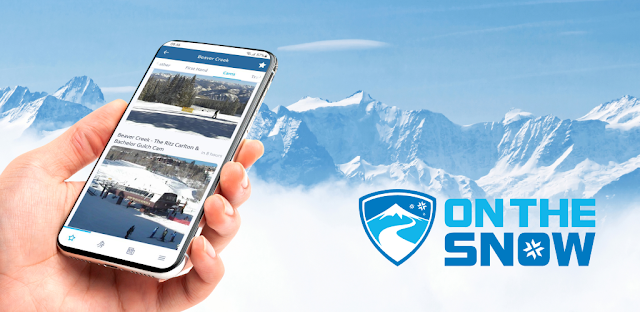
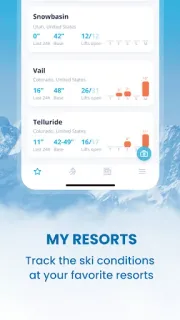
The decision often comes before the first lift: one resort looks promising, another is closer, and the forecast may change what feels worth the drive. OnTheSnow is useful at that point. I can keep favorite mountains in My Resorts, compare their snow reports and get a quick view of recent snowfall and local conditions. Webcams add a visual check when a report alone leaves me unsure what the mountain looks like. I would use that combination to narrow choices, not to treat one screen as a guarantee of conditions on arrival.
The app brings together snow reports for more than 2,000 ski areas, alongside resort weather and forecasts. Resorts can be browsed by mountain, state, region or pass, which is handy when a trip starts with a destination or pass rather than a particular hill. The Snow feed collects recent resort images, and users can share firsthand reports and photos. A powder alert can notify you when a favorite resort reaches a snow amount you set. That gives the app a clear job: compare resorts and keep an eye on changes, rather than replace a resort’s own operational updates.
The first weak point is freshness: snow reports, photos and webcam views are snapshots, and conditions can change between checking your phone and reaching the slopes. I would check the resort’s current guidance before making a final call, especially if weather is shifting. Powder alerts depend on choosing resorts and setting a tolerance that matters to you; a notification is a prompt to look again, not a promise about skiable terrain. The app contains ads, so expect advertising in a free-to-install experience. If you upload photos or reports, consider what you are sharing and whether location access is useful for the features you choose.
This suits skiers who compare several mountains, follow snowfall, or want webcams and forecasts in one place. It is less useful if you ski one familiar resort and already rely on its own condition updates, or if ads and changing reports would make you distrust the comparison. I would keep it as a planning aid, then verify the details that affect the day directly with the resort. If that trade-off fits, use the Google Play button just below to open the listing and check the app before installing.
 How-toOnTheSnow Ski & Snow