Between appointments, I sometimes have a few minutes before heading to a viewing and need to decide whether a short mobility session fits the day. GOWOD is most useful when I already know the training ahead and want a guided prompt, rather than another open-ended list of stretches. A runner can look for support tied to running; someone doing strength work can choose a different sports context. That makes the app easier to return to than a routine that treats every training day alike.
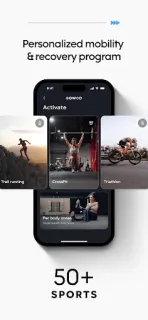
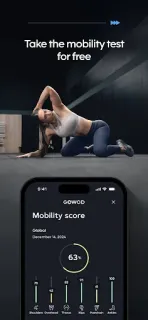
The starting point is a free mobility test, which gives a baseline for flexibility and movement. GOWOD then uses your sport, weaker areas and stated needs to shape routines. Its listed protocols include ACTIVATE for preparing to train, RECOVER for post-effort sessions and DAILY FLOW for general mobility. The app covers more than 50 sports, and offers progress tracking by sport alongside personal goals. I’d treat those measures as a way to notice changes in your own movement, not as a diagnosis or a promise about performance.
The key practical catch is access: the app is free to install, but it offers in-app purchases, so check what a routine or feature requires before building your schedule around it. A personalized plan also depends on giving the app enough information about your sport and needs; a generic quick stretch may be simpler if you don’t want to set that up. Notifications deserve the same restraint. If reminders help you keep a recovery session from slipping, allow only the prompts you find useful; if they become background noise, review GOWOD’s notification controls in Android settings. I’d avoid treating a reminder as a reason to push through pain.
I’d install GOWOD if I train regularly, want a mobility baseline and prefer sport-specific prompts to choosing stretches from scratch. It may be a poor fit if you want a free, no-setup library or only need occasional general movement ideas. Before committing, weigh the test and tracking against the in-app purchase model, then decide whether reminders suit your routine. If that balance works for you, the Google Play button just below is the place to start.
 CompareGOWOD