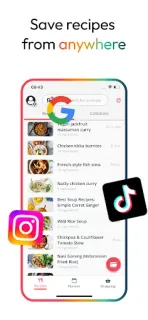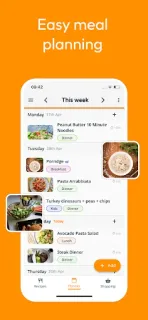
It’s 5:30, your afternoon appointment ran long, and the recipe you spotted in a video is now hard to find again. Stashcook can earn its place here: keep that recipe in a searchable collection, assign it to tonight, then use the resulting shopping list to see what you need. If dinner changes, the flexible week plan lets you rearrange meals rather than treating the first draft as fixed. That makes it more useful as a working kitchen notebook than as a source of meal inspiration.
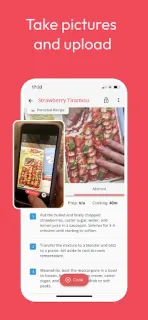
Recipes can come from social platforms, websites, screenshots, photos, handwritten cards, or notes. The app brings them into one recipe box that you can search and edit. In the weekly planner, you can schedule breakfast, lunch, and dinner—or only dinners—move meals between days, repeat a week that worked, and leave notes about leftovers or eating out. Planned meals can generate a grocery list; you can add extra items, adjust ingredients and serving sizes, and view nutrition insights. That sequence is the core appeal: capture, plan, then shop, without rebuilding the list from scratch for each meal.
The first snag is recipe capture: a saved link or image still needs to become a usable recipe, and you may need to check the ingredients and instructions before relying on it. For social-video recipes, compare the captured details with the original before shopping. A second snag is routine upkeep. If you change a meal but forget to refresh your shopping list, the list can lag behind the plan; mark pantry items or extras as you go. The app offers in-app purchases, so check the Google Play listing for the current purchase details before settling into it. Recipe access from outside the app may also depend on how each source shares content.
I’d install Stashcook if recipes are spread across feeds, screenshots, and websites, and if turning a weekly plan into a grocery list would help at home. It may be more than you need if you keep a short rotation of meals in your head, prefer paper, or want a social feed to supply every recipe without any organizing. It can also suit a household that needs notes for leftovers or eating out, but the plan only stays useful if someone keeps it current. Check the Google Play button just below to open the listing and review the purchase details before you install.