
A venue asks you to choose a date for a tour, and you catch yourself opening the calendar again to count the weeks. WeddingWire’s countdown widget is the feature that may earn this app a spot on your phone: it keeps your wedding day visible on the device instead of making you reopen a planning screen. I’d find that useful during busy errands, when a quick glance is easier than searching through messages. The widget is a reminder, not a plan by itself, but that small, persistent cue is the app’s clearest reason to stay installed.
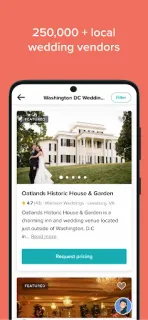
The rest of the app gives that date practical company. Its checklist creates tasks based on the wedding date and can be customized. Budget tools track spending across categories such as venue, flowers and catering; the guest list tracks RSVPs and meal choices. Couples can also search local wedding professionals, read reviews, and take interactive venue tours before visiting. Wedding websites, invitations and registry links round out the planning tools, so this is broader than a countdown. It is aimed at coordinating several parts of a wedding in one place, rather than only marking the day.
The trade-off is scope: if you only need a date reminder, the vendor search, guest list and budget may be more app than you want. The app contains ads, so expect advertising as part of using it. Vendor reviews and availability details can help narrow options, but they are starting points for your own conversations, not a substitute for confirming terms and details directly. A wedding website and registry are optional extras; you can focus on the countdown and checklist instead. Keep personal guest and budget details in mind when deciding what you want to enter.
I’d install it if a visible countdown would keep the date top of mind and you also want a customizable task list, budget tracker or RSVP organizer. I’d skip it if you prefer a simple calendar reminder or already manage these details comfortably elsewhere. The widget is the draw; the wider toolkit makes it more worthwhile when you’ll use several pieces. Check the Google Play button just below if that combination fits your planning style.


 TipsWedding Planner by