A major Singapore headline can move from a push alert to a longer read in seconds. I’d use Lianhe Zaobao when I want Chinese-language coverage of Singapore and nearby countries, then switch to a video or podcast when reading is inconvenient. If breaking alerts are useful, I’d decide which notifications I want rather than letting every topic interrupt the day.
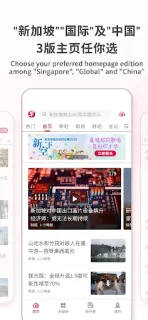
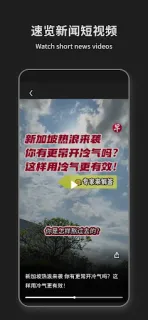
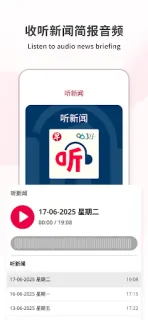
The app brings together reporting and analysis on Singapore, Southeast Asia, East Asia and global affairs. Its formats include short videos, long-form videos, podcasts, quizzes and livestreams, alongside real-time alerts and live updates. I can choose a preferred homepage, bookmark articles and adjust text size. The latest update adds a way to rearrange content types in the Home Menu by dragging them into my preferred order, which makes the app easier to shape around my reading habits.
The trade-off is a mix of ads and optional paid access. A subscription unlocks premium articles and the LHZB E-paper, including a two-week archive; check the Google Play listing for current in-app purchase details before subscribing. Notifications are a choice to manage, not a reason to grant every permission. I’d review Android’s permission prompts as they appear and consider whether an account is needed for the specific feature I want, rather than assuming every part of the app requires one. News reading also creates a personal trail of topics and saved stories, so bookmarks and alert choices deserve a quick privacy check.
I’d install it if I read Chinese comfortably and want a broad Singapore-focused news source with more than text. It may not suit someone who prefers English reporting, wants a quiet reading app without ads, or only needs occasional headlines. For readers comparing a news subscription with free access, the key distinction is whether premium stories and the E-paper are worth paying for. Check the Google Play button just below for the publisher and purchase details before you install.