A severe-weather alert can matter most when you’re between appointments, not sitting in front of a TV. ABC7 Chicago pairs weather and traffic alerts with local reporting, so I’d start by choosing the locations that shape your day. Then set only the alert topics you want to interrupt you; otherwise, breaking news can quickly become background noise.
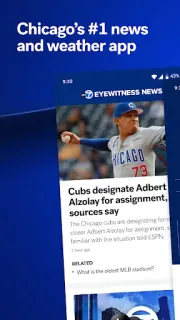
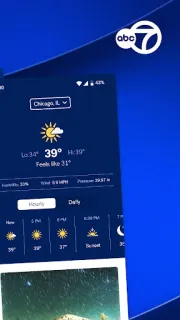
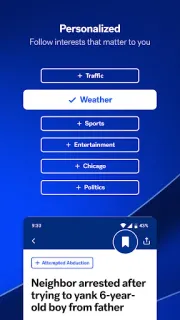
The app combines live Eyewitness News with a 24/7 streaming channel, plus a Videos tab for clips and newscasts you missed. Picture in picture can keep live video visible while you use another app. For a quick check, search by keyword or browse sections such as I-Team, Safety Tracker and Politics. The weather area offers hourly conditions, a seven-day forecast, Doppler maps and severe-condition alerts. My News uses the topics and locations you choose to shape a personal feed, with alerts available for interests ranging from entertainment to sports.
The practical catch is attention: live video and customized alerts are useful only if you control when they reach you. I’d review notification permissions during setup and keep the list focused on genuinely useful topics and places. The app contains ads, so expect advertising alongside its news experience. Streaming video also uses data, which is worth considering if you rely on a limited mobile connection; picture in picture does not change that. You can use the keyword search and topic browsing to find coverage without turning on every alert.
This suits Chicago-area readers who want local coverage, forecasts and live news in one place, especially anyone who prefers choosing topics rather than relying on a general feed. It may be less appealing if you want a quiet, text-only news reader or do not want ads and video in the same app. I’d set locations and alerts first, then decide whether the live stream earns a spot in your routine. Check the Google Play button just below to open the listing and decide whether ABC7 Chicago fits your setup.